Sending Test ETH Between Accounts
Follow these steps to practice sending your test SepoliaETH to another wallet:
Initiate the Transfer: Open the MetaMask extension, ensure you are on the account you want to send funds from, and click the
Sendbutton.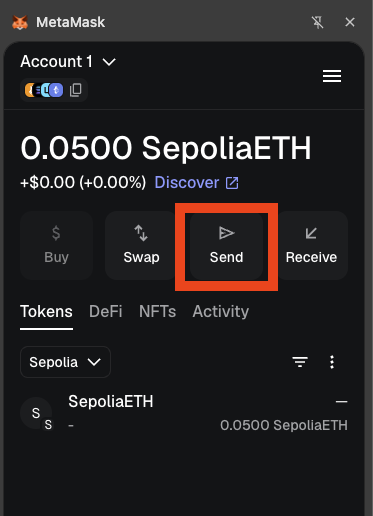
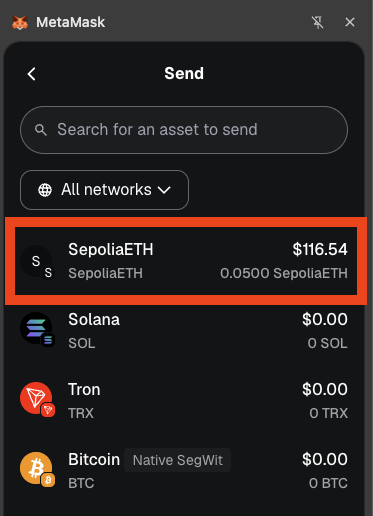
Select the Asset: Choose SepoliaETH to ensure you are sending test tokens on the Sepolia network.
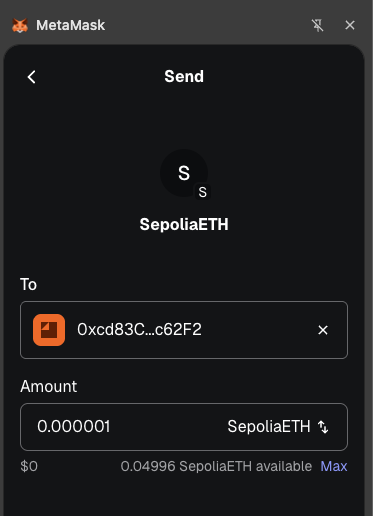
Enter the Destination: Input the public wallet address of your recipient (this should start with
0x...).Specify the Amount: Enter the exact amount of test tokens you wish to send, then click Next.
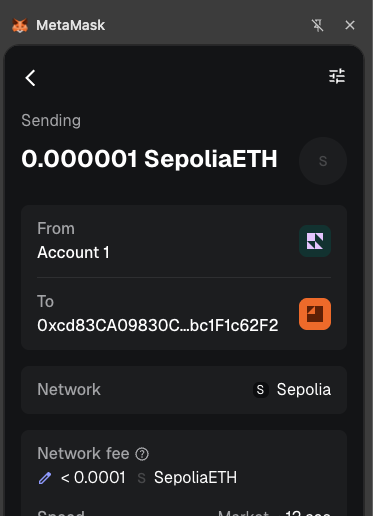
Review and Confirm: You will see the estimated network fees (gas fees) required for your transaction. Always double-check the recipient's address for accuracy, then click Confirm to authorize the transfer.
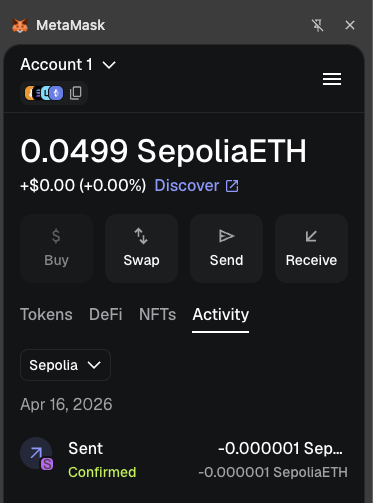
Track Your Activity: You will be returned to the main screen. Click the Activity tab to view your recent transactions and monitor the status of your transfer.